Stop entering data twice
Keep employee details, attendance and pay information together, so changes do not have to be copied between different systems.

Still running payroll through spreadsheets, emails and separate time sheets? PayDay brings employee hours, salary calculations, US payroll taxes, direct deposit and digital pay stubs into one online system. Review your payroll, approve it and get your team paid.
$6 per employee/month · No monthly base fee · All 50 US states
Whether you manage payroll for five employees or several hundred, the work should not involve rebuilding the same spreadsheet every payday.
Keep employee details, attendance and pay information together, so changes do not have to be copied between different systems.
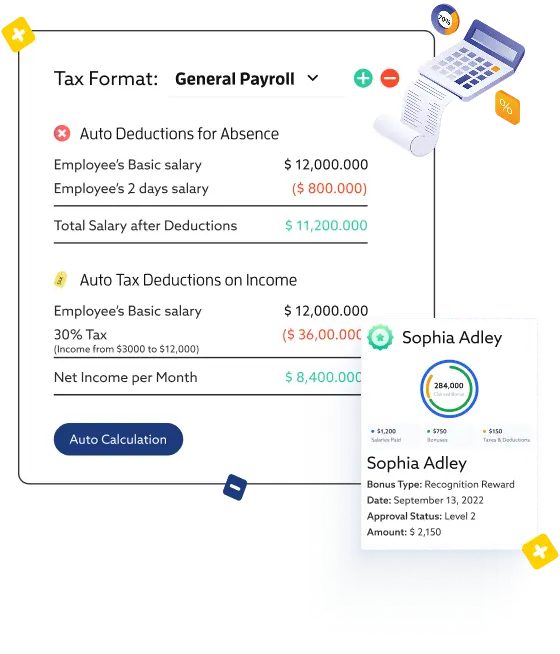
Calculate earnings, overtime, deductions and applicable taxes with payroll rules you configure for your business.
Review employee pay and adjustments before approving the run. You stay in control of what gets paid.
Give your team online access to their pay stubs and payroll documents instead of answering the same requests by email.
Find previous pay runs, deductions and employee records when accounting, HR or an auditor needs them.
Pay $6 per employee each month for the core platform, without a separate monthly base subscription fee.
An electronic payroll system is software that calculates employee pay, applies taxes and deductions, supports electronic payments and stores payroll records digitally. It replaces manual calculations and paper-based records with a repeatable online process for preparing, reviewing and completing payroll.
With PayDay, that process starts with employee information and work hours and ends with approved pay, payment instructions and digital pay stubs.
Learn more about electronic payroll →Four straightforward steps take you from employee setup to a completed payroll run.
Add employee details, pay rates, work locations, withholding information and payment preferences.
Bring approved hours, overtime and leave into the pay run. Add any bonuses, commissions or adjustments.
Check calculated wages, deductions, taxes and take-home pay. Make any corrections before approval.
Prepare employee payments, share digital pay stubs and keep the completed run available for reporting.
Manual payroll can work when you have a small team. As pay rules, employee numbers and tax requirements grow, it becomes harder to keep track of everything.
| Payroll task | Manual payroll | With PayDay |
|---|---|---|
| Employee hours | Collect and enter timesheets by hand. | Use connected time and attendance records. |
| Pay calculations | Maintain formulas for wages and deductions. | Apply configured payroll rules to employee data. |
| Payroll taxes | Calculate and track withholding separately. | Calculate applicable US payroll taxes within the run. |
| Employee payments | Prepare checks or separate bank instructions. | Manage direct deposit and payment workflows. |
| Pay stubs | Create, send and store individual documents. | Generate digital pay stubs employees can access online. |
| Payroll records | Search spreadsheets, folders and email threads. | Find pay history and export reports from one platform. |
Automation reduces repetitive work, but employers still need to verify payroll inputs, approvals and applicable tax obligations.
Each part of the payroll process works with the next, from tracking employee time to keeping a record of what was paid.
PayDay calculates gross pay, deductions and net pay using employee rates and your payroll settings. Manage hourly and salaried workers in the same system and review the results before you approve payroll.
Employee hours are often where payroll mistakes begin. PayDay connects time tracking, attendance and leave with payroll, so your team can review the records that actually affect an employee's paycheck.
Keep approved payroll amounts and employee payment details connected. PayDay supports direct deposit and ACH payment workflows, helping your team prepare electronic payments without rebuilding payment records after each run.
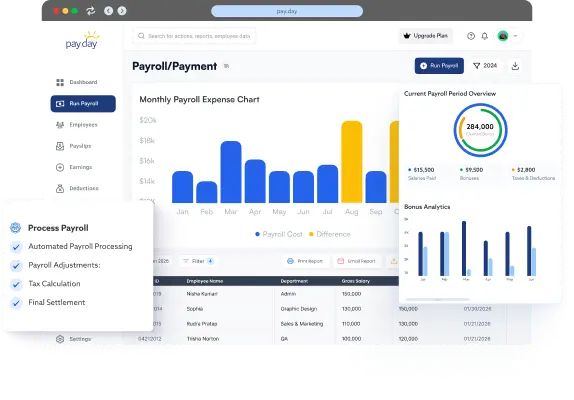
When someone needs a previous pay stub, your payroll team should not have to search for it. Employees can sign in to their self-service portal to view pay details and available payroll documents.
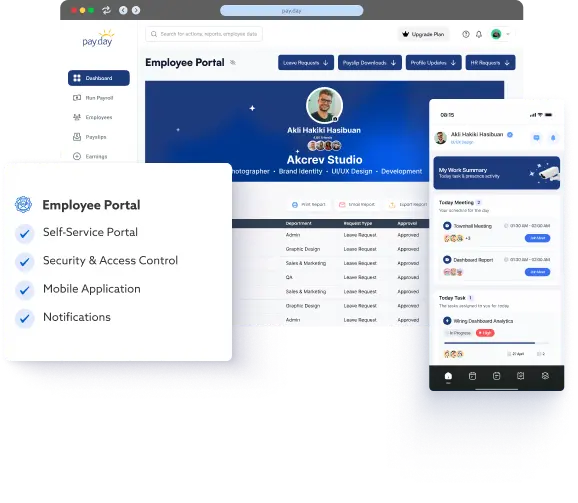
Get a clear view of payroll expenses, employee deductions and labor costs. When your accountant needs records or you need to check a previous payment, the information is available in your payroll history.
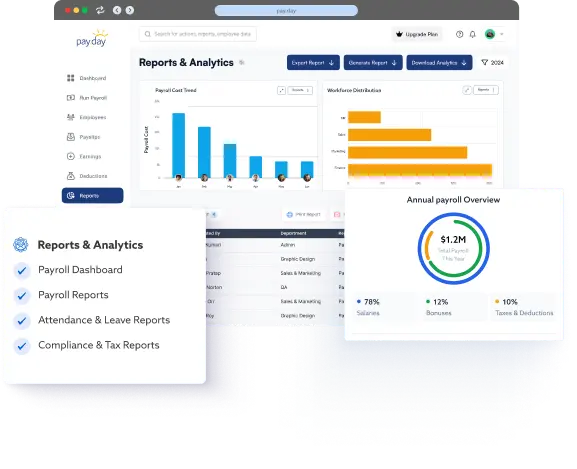
Payroll in the US means more than calculating salaries. Employers also need to account for withholding, Social Security, Medicare and applicable state and local taxes.
PayDay supports automated payroll tax calculations across all 50 states, so you can manage employees in different locations without maintaining separate tax spreadsheets.
Tax filing and remittance depend on employer registrations, setup and service arrangements. Confirm your responsibilities and payment workflow during onboarding. For outsourcing, explore managed US payroll services.
Calculate federal income tax withholding using relevant employee information.
Calculate applicable FICA taxes within payroll.
Manage applicable tax calculations based on employee work locations.
Support federal and state unemployment tax workflows.
Maintain tax-related payroll data for reporting and filing workflows.
Manage employees across different states in one payroll system.
You don't need to throw away your existing payroll records. Start with the information you already have and use it to build your new payroll setup.
PayDay's onboarding team can help you understand the setup process, review your requirements and prepare for your first payroll run.
Prepare employee details, rates, tax information, year-to-date payroll balances and payment information.
Set up pay schedules, deductions, work locations, permissions and relevant approval rules.
Compare the calculated results with your expected payroll totals and confirm payment and filing arrangements before going live.
PayDay's software subscription costs $6 per employee per month. Payroll, attendance, employee records and the core tools you need to manage payday are included in the plan.
Need someone to manage payroll for you? Ask about managed payroll services.
No additional monthly base subscription fee.
Examples reflect the software subscription only. Confirm any separate service or payment costs for your setup.
Hear from businesses that use PayDay for employee management and payroll.
“Easy way to maintain the payroll and payslips.”
Gowtham K.
“Today we are over 235 employees”
Oliver G.
“Excellent team and support”
Meiraj H.
Excerpts from published PayDay customer reviews. Read more customer feedback.
Straightforward answers to questions employers ask before moving payroll online.
Manual payroll relies on people calculating wages, deductions and taxes and maintaining payment records by hand, often in spreadsheets. Electronic payroll uses software to perform calculations and organize records, while payroll administrators review and approve the results.
No. Direct deposit is a way to transfer employee pay to a bank account. An electronic payroll system manages the broader process, including calculating pay, withholding taxes, preparing payments and keeping payroll records. Direct deposit can be one part of that process.
Yes. PayDay supports hourly and salaried employees, different pay schedules, overtime, bonuses and deductions. You can configure the relevant rules for your team and review the calculations before approving payroll.
Yes. PayDay supports automated calculations for applicable federal, state and local payroll taxes across all 50 states. Tax filing and remittance arrangements depend on your employer registrations and setup, so confirm these during your demo or onboarding.
Yes. Employees can access digital pay stubs showing earnings, deductions and take-home pay through PayDay's self-service portal. Employers should confirm any applicable state rules about electronic wage statements, employee access and paper copies.
Yes. A midyear switch typically requires accurate year-to-date wages, taxes, deductions and previous payroll records. Reconcile those balances and confirm responsibility for tax filings before processing your first payroll in the new system.
Pricing varies by provider, employee count and service level. PayDay's software plan is $6 per employee per month with no monthly base subscription fee. For example, a business with 25 employees pays $150 per month for the software.
PayDay provides role-based permissions and controlled access to payroll records. Employers should limit access to authorized staff and follow appropriate security procedures. You can learn more on the PayDay security page.